
Will Adding a Fit Quiz Hurt Product Page Conversion?
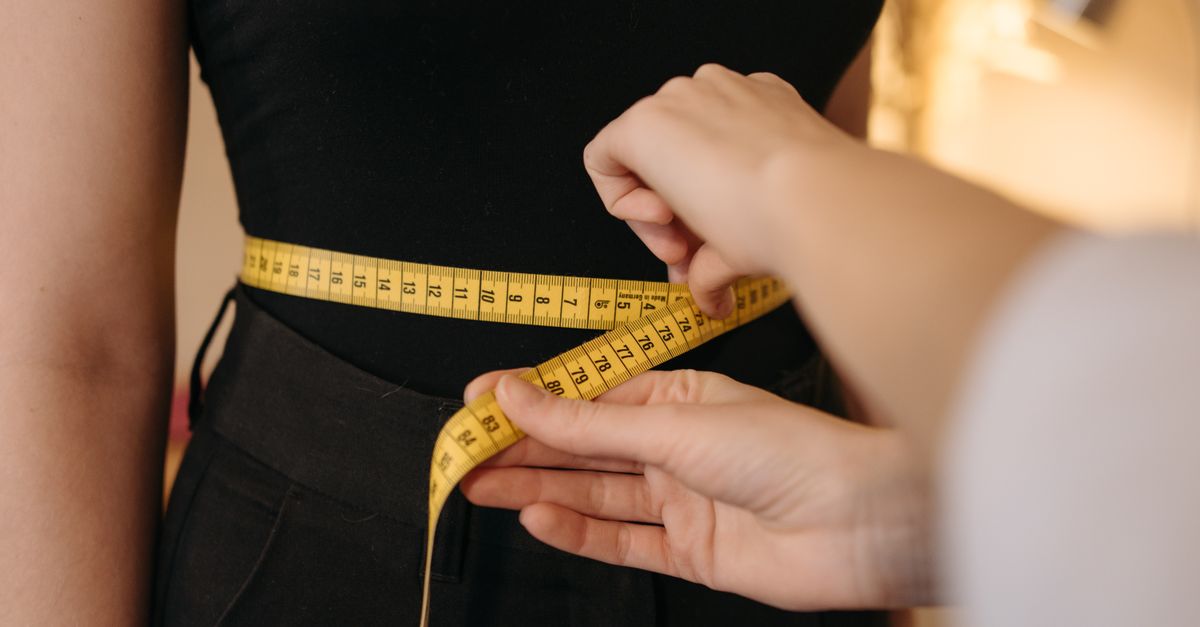
A fit quiz usually helps conversion when it removes sizing doubt without adding friction
A fit quiz usually lifts conversion when it makes the size decision feel easier, not heavier. If a shopper lands on a product page in an OpoShop store, sees a size chart, still cannot tell whether to buy M or L, and leaves, conversion was already being hurt before any quiz existed.
That is the part a lot of merchants miss. Sizing uncertainty is already friction.
A short, optional fit quiz can reduce friction instead of adding it when it lives near the size selector, asks only a few questions, gives a clear recommendation with confidence, and auto-selects the matching variant. That turns the experience from "figure it out yourself" into "here is your best-fit option."
If your shoppers hesitate at size selection, it helps to see how a fit finder works directly on the product page.
What is a fit quiz on a product page?
A fit quiz on a product page is a short question flow that helps a shopper choose the right size without leaving the page. The shopper answers a few simple questions, gets a size recommendation, sees a confidence level, and the matching variant can be auto-selected.
That is very different from a static size chart. A size chart shows information. A fit quiz interprets information.
For apparel, the questions usually center on height, weight, age range, body shape, or how the shopper likes the item to fit. For footwear, the questions often shift toward usual shoe size, brand-to-brand fit habits, foot width, and whether the shopper wears thicker socks or prefers more room.
The best version feels small. It does not feel like a form.
A shopper should be able to complete the flow in under a minute, stay on the product page, and understand the recommendation right away. In an OpoShop store, that matters because the size decision often sits just a few inches above the add-to-cart button. If the fit quiz helps that moment, it helps the page.
Why does this matter for [OpoShop](/r/apzya2JY?cta=6&dest=https%3A%2F%2Foposhop.io) apparel and footwear stores?
This matters because sizing hesitation suppresses add-to-cart behavior before you ever see a return. A shopper who is unsure about size often does not buy at all.
That pattern shows up in a very ordinary way. A shopper opens a product page in your OpoShop store, likes the product, checks the size options, taps the size chart, scans a table, still cannot tell whether they are between two sizes, and backs out. No refund request. No exchange. Just a lost sale.
Apparel and footwear both have this problem, but the hesitation looks a little different.
In apparel, the question is often "Will this fit the way I want?" A shopper may know their measurements and still not know whether the cut runs slim, relaxed, cropped, or oversized.
In footwear, the question is often "Will this feel right once I wear it?" A shopper may know their usual size and still worry about width, half-size decisions, or brand differences.
That is why a fit quiz can help conversion. It closes the gap between available sizing information and buying confidence.
It can also reduce support load. If fewer shoppers need to ask "Does this run small?" or "Should I size up?", your team spends less time answering repeat questions and more time selling. For OpoShop merchants, that is not a small thing.
How do you add a fit quiz without hurting conversion?
You add a fit quiz without hurting conversion by keeping it short, optional, close to the size selector, and tightly connected to the variant choice. If the flow feels like help, shoppers use it. If the flow feels like work, shoppers skip it or leave.
Placement matters more than merchants expect. A fit quiz buried in tabs or hidden under product details will not catch the shopper at the moment of doubt. The quiz should appear before or beside size chart content, not after a long scroll.
Optional matters too. Shoppers who already know their size should be able to pick it and move on. Shoppers who are unsure should see the fit quiz as a fast assist, not a gate.
Auto-selecting the recommended size also helps. If the quiz says "We recommend Large" but leaves the shopper staring at an unselected size menu, the page creates one more tiny pause. Tiny pauses add up.
Here is the difference in plain terms:
Weak: "Find your fit" opens a 9-question overlay, gives a size recommendation, then sends the shopper back to an unselected size dropdown. Stronger: "Not sure about size?" opens a 4-question flow beside the size picker, shows "Recommended: Large, high confidence," and selects Large automatically.
That second version feels like momentum. The first one feels like homework.
Mobile testing is the last piece merchants often skip. A fit quiz that feels fine on desktop can feel clumsy on a phone. Since a lot of OpoShop product page traffic is mobile, that is where you need the cleanest version.
If you want to evaluate how this should look inside your store, start with the product page experience, not a generic popup idea.
Fit quiz vs size chart vs no guidance: which is least likely to hurt conversion?
A fit quiz is usually least likely to hurt conversion when shoppers are uncertain and the quiz is fast. A size chart is better than no guidance, but a size chart still asks the shopper to do the interpretation work.
| Sizing approach | What the shopper experiences | Friction level | Conversion risk |
|---|---|---|---|
| No sizing help | Shopper guesses or leaves | High | Highest |
| Size chart only | Shopper gets raw measurements but must interpret fit alone | Medium to high | Moderate |
| Short fit quiz near size selector | Shopper gets a recommendation tied to the product | Low | Lowest when implemented well |
No guidance is the riskiest setup because the shopper carries all the uncertainty. That is especially true for first-time buyers in an OpoShop store who do not know your brand's fit yet.
A size chart can work for confident shoppers who know exactly how to use garment or shoe measurements. A lot of shoppers do not. They want an answer, not a table.
A fit quiz works best when the product category has real fit ambiguity. That includes denim, dresses, fitted tops, sneakers, boots, and pretty much any product where "true to size" still leaves room for doubt.
Common mistakes that make a fit quiz hurt product page conversion
A fit quiz hurts product page conversion when it asks too much, appears too late, or fails to finish the job. The bad version is not harmful because it is a quiz. The bad version is harmful because it adds work without adding clarity.
The first mistake is too many questions. If the flow starts to feel like an intake form, shoppers bail. Apparel shoppers will answer a few questions. They will not happily answer twelve.
The second mistake is forcing completion before add to cart. That is where merchants overcorrect. They want fewer wrong-size orders, so they put a wall in front of purchase. That wall can cost more sales than it saves.
The third mistake is weak placement. If the fit quiz is tucked under accordions, hidden below reviews, or separated from the size selector, shoppers do not connect the recommendation to the buying decision.
The fourth mistake is unclear recommendation logic. If the result says "Try Medium" with no confidence or explanation, shoppers may still hesitate. A recommendation should feel firm enough to act on.
The fifth mistake is no variant auto-selection. A shopper should not have to remember the answer, close the quiz, reopen the size menu, and manually match the result. That is a small break in flow, but it is still a break.
The sixth mistake is poor mobile UX. Tiny tap targets, slow overlays, awkward scrolling, and clipped buttons are enough to turn a useful tool into friction.
If you are measuring whether a fit quiz improves conversion on OpoShop, watch the product page before and after launch. Look at add-to-cart rate, size selection rate, quiz completion rate, conversion rate, bounce rate from product pages, return rate by reason, and support tickets tied to sizing questions. That set of metrics gives you the full picture, not just the top-line order count.
What we recommend for [OpoShop](/r/apzya2JY?cta=12&dest=https%3A%2F%2Foposhop.io) stores using Fitly
We recommend a lightweight fit finder that sits between static size charts and shopper guesswork. For most OpoShop apparel and footwear stores, that means a short, optional fit quiz that gives a recommendation with confidence and auto-selects the matching variant.
That setup solves the real problem. The real problem is not "Will shoppers hate one extra click?" The real problem is "Will shoppers leave because they do not trust their size choice?"
Fitly fits this use case well because it fills the gap size charts leave behind. A shopper answers a few quick questions on the product page, gets a size recommendation with a confidence level, and sees the recommended variant selected automatically. That is a cleaner path to purchase than asking shoppers to decode a chart on their own.
For stores selling both apparel and footwear on OpoShop, that matters across categories. The questions behind the recommendation may differ, but the buying moment is the same. A shopper wants enough certainty to click add to cart.
Best answer: Use a fit finder if your product pages lose shoppers at size selection. Keep the fit quiz short, optional, mobile-friendly, and tied directly to the size picker. A recommendation with confidence and auto-selected variants is far less likely to hurt conversion than leaving shoppers stuck between two sizes.
FAQs
How long should a fit quiz be on a product page?
A fit quiz should feel short enough that a shopper finishes it without thinking twice. For most apparel and footwear product pages, three to five questions is a strong range.
Should shoppers be forced to complete a fit quiz before adding to cart?
No. A fit quiz should help unsure shoppers, not block ready buyers. If a shopper already knows their size, the fastest path should stay open.
Does auto-selecting a recommended variant improve conversion?
Yes, it often helps because it removes one more step after the recommendation. If the fit quiz recommends a size and the page selects that variant automatically, the shopper can act right away instead of repeating the work manually.
What metrics should I track after adding a fit quiz?
Track add-to-cart rate, product page conversion rate, quiz completion rate, size selection rate, return reasons tied to fit, and sizing-related support questions. That mix shows whether the fit quiz is helping sales, reducing hesitation, and cutting wrong-size orders.
Is a fit quiz better than a size chart for reducing sizing hesitation?
Yes, in many cases it is. A size chart gives raw information, while a fit quiz gives a direct recommendation, and direct recommendations usually reduce hesitation faster than asking shoppers to interpret measurements alone.
Want to reduce sizing hesitation on OpoShop? See how SizeMe can help shoppers choose the right size with more confidence.


